v0.2.0  ·  Python 3.12

Your case display,
brought to life

Lightweight framebuffer + web dashboard for headless AI rigs and homelabs.
No X11. No Raspberry Pi. Just pure efficiency.

CASEDD drives a small USB/HDMI framebuffer-compatible display inside your AI rig or homelab with real-time CPU, GPU, RAM, and temperature data — while simultaneously serving the live view to any browser. No desktop required.
FastAPI PIL / Pillow Pydantic v2 WebSocket CSS Grid layouts NVIDIA GPU asyncio
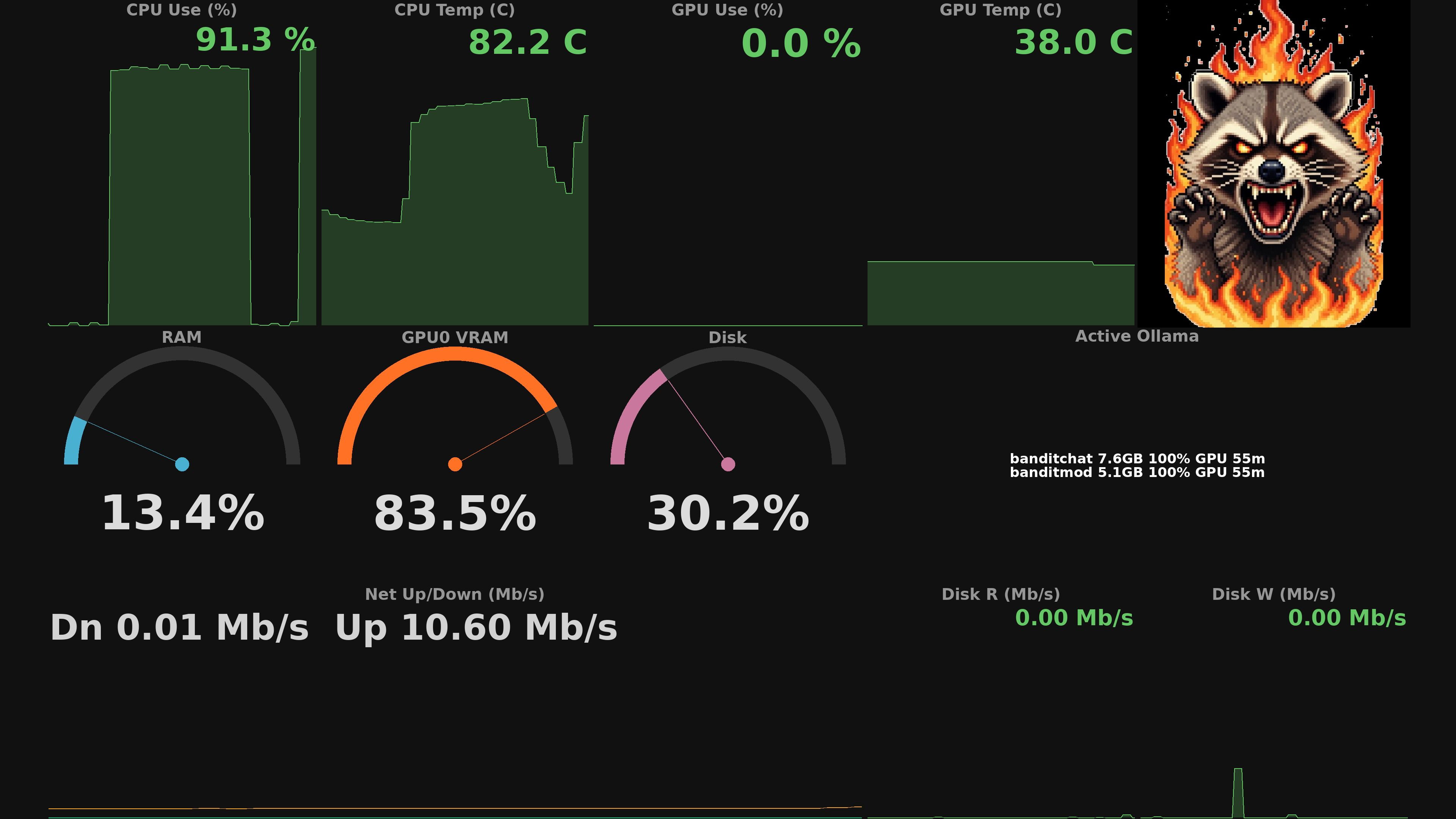
system_stats template snapshot

Live output from a running daemon

system_stats
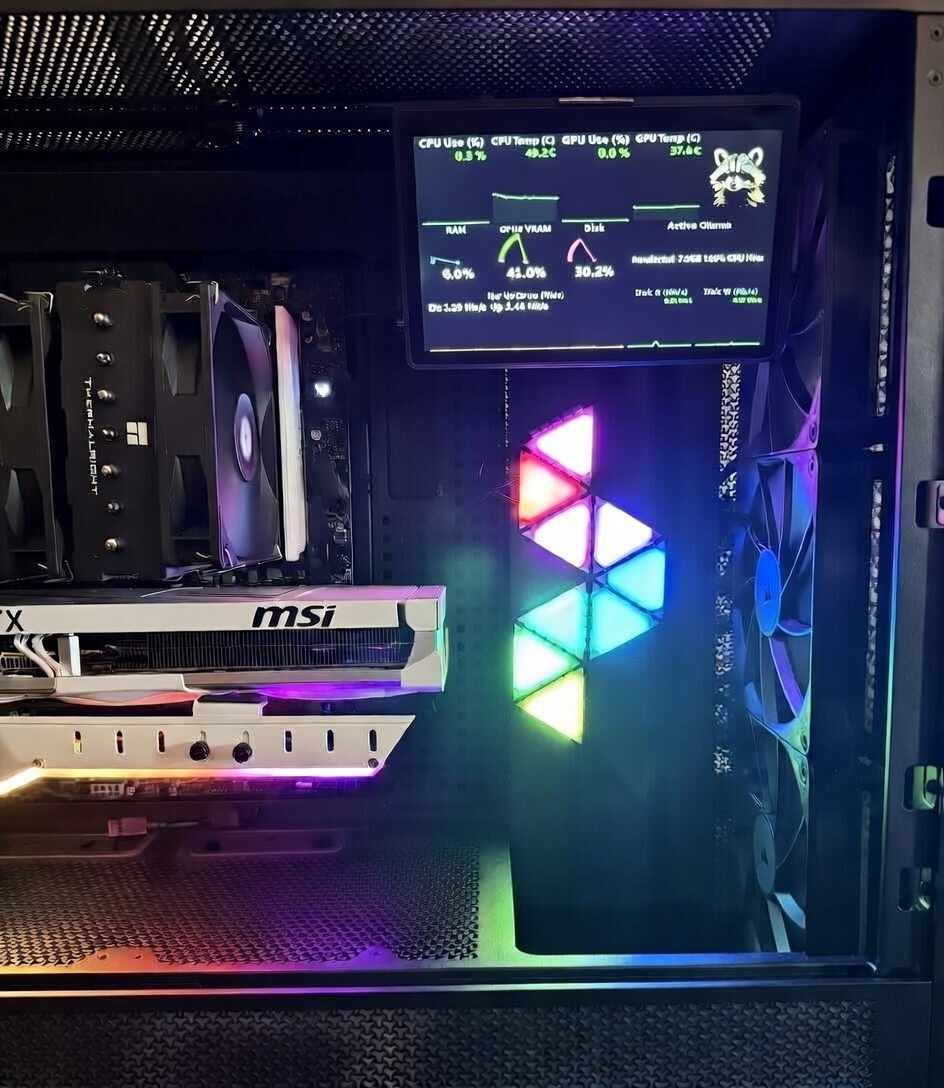
CASEDD in active use inside a real system build

CASEDD running in a real host

Open full-resolution photo
16+widget types
10+built-in getters
infinitedata pushers w/ API
tested up to 4Kdynamic display
2 Hzdefault refresh

Built for

Perfect for real builds, real workloads

24/7 Ollama & InvokeAI inference rigs
Show GPU utilization, VRAM, generation progress, and active model name directly on the case panel — no SSH required.
Small case-mounted displays
Designed for Waveshare, HDMI mini panels, and any Linux framebuffer target. Automatic resolution detection, no X11 or desktop environment needed.
Remote monitoring via browser
The WebSocket live view streams the rendered frame to any browser at full refresh rate. Perfect for headless servers with no physical access.
Extensible data ingestion
Push any JSON payload via REST or Unix socket and drive templates dynamically. If you can emit JSON, CASEDD can visualize it on-panel and in the browser.

Features

Everything your display needs

CASEDD ships batteries-included — getters, renderer, template engine, and a full web UI all in one lightweight daemon.

Built-in getter ecosystem
From host telemetry to media and homelab apps: CPU, memory, disk, network, weather, UPS, Plex, Radarr, Sonarr, NZBGet, Pi-hole, containers, VMs, and more.
loading getters…
Custom data push API
Push any JSON payload through REST or Unix socket and drive templates dynamically with your own schema. If you can emit JSON, CASEDD can visualize it.
REST pushUnix socketdynamic widgets
Advanced web UI
Use WYSIWYG layout tools, switch into test mode, replay captured data streams, or generate random data to validate templates before going live.
WYSIWYGdata replayrandom test data
Live web view
Each rendered frame is pushed over WebSocket to any browser instantly. An HTTP endpoint serves single-frame image exports.
WebSocketFastAPIimage export
Multi-panel orchestration
Drive multiple framebuffer targets with independent templates, schedules, rotations, and trigger behavior from a single daemon runtime.
multi panelper-panel policysingle daemon
Triggered incident views
Automatically pivot to high-priority templates when thresholds trip, with hold/cooldown semantics that prevent noisy flapping and preserve readability.
trigger ruleshold/cooldownincident focus
Production-safe deployment
Run 24/7 under systemd or Docker with clean startup/shutdown framing, health endpoints, and restart-friendly service behavior for unattended hosts.
systemddockerhealth + restart
Auto framebuffer fit + rotation
Detects framebuffer geometry and supports rotation so templates remain readable across many panel sizes without hand-tuning every layout.
auto resolutionrotationfb-compatible
Dynamic image state selection
Image widgets can swap assets by live metric thresholds anywhere in your layout. The mascot is fully customizable, and the same state-selection pattern works for any image-driven panel.
Mascot normal statenormal
Mascot stressed statestressed
Mascot angry stateangry
Mascot fire statefire
image tiersthreshold drivenmascot states

Quick Start

Up and running in minutes

No display hardware required to get started — set CASEDD_NO_FB=1 and use the browser view during development.

1
Clone & create the venv
Python 3.12 is required. Works on Ubuntu 24.04, macOS, and most Linux distros.
2
Configure via .env
Copy .env.example to .env. Set CASEDD_NO_FB=1 to skip framebuffer hardware during development.
3
Start the daemon
Open localhost:8080 for the live view, or localhost:8080/app for the full template editor.
4
Customize a template
Edit a .casedd YAML in templates/ or use the visual editor. Changes apply on the next render cycle — no restart needed.
$ git clone https://github.com/mdmoore25404/casedd.git
$ cd casedd
$ python3.12 -m venv .venv && source .venv/bin/activate
$ pip install -r requirements.txt
 
# Configure (disable framebuffer in dev)
$ cp .env.example .env
$ echo "CASEDD_NO_FB=1" >> .env
 
# Start the daemon
$ ./dev.sh start
casedd started (PID 12345)
Web viewer: http://localhost:8080
 
# Check health
$ ./dev.sh status
casedd is RUNNING (PID 12345)